
TinyNest - Family Album
Tiny Nest AI LLCParenting
4.833.00 Reviews
- Version
- 1.317.0
- Installs
- 10.00K
- Age Rating
- Teen
Screenshots
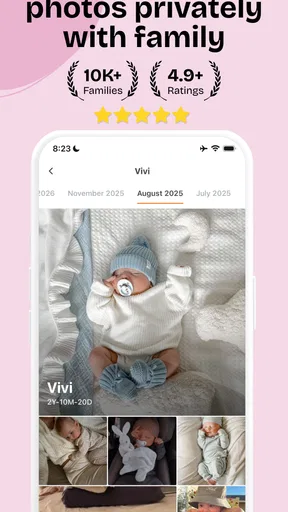
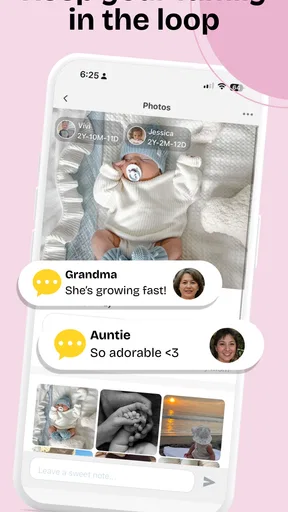
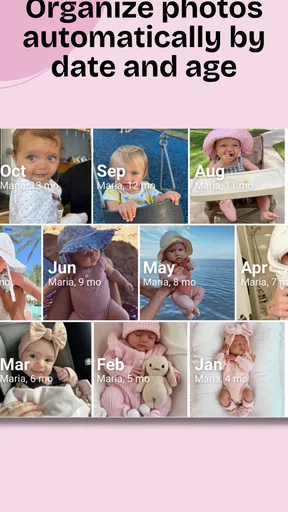
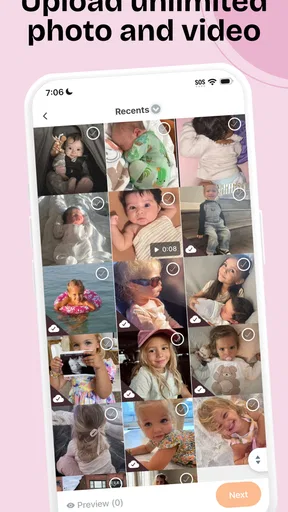
Our Review of TinyNest - Family Album
 Analysis by Appyee
I tried TinyNest - Family Album as a dedicated place for sharing baby photos, and its appeal became clear quickly: it is aimed at families who want a more focused space than a general social network. Instead of treating baby pictures as just another stream of posts, the app is built around keeping those moments within a family photo-sharing setting. That narrower purpose is its biggest strength, but it also means the right audience matters more than usual.
Tiny Nest AI LLC is the developer behind this parenting app. It is free to install, carries a Teen content rating, and has reached over 10K installs. Its average rating is 4.7 from around 478 ratings, which suggests that the people who have tried it generally respond well to the idea. I would still treat that rating as a useful signal rather than a guarantee, because a family album app succeeds or fails based on whether it fits the habits of the whole family, not just the person who installs it.
How TinyNest fits into everyday family photo sharing
The simplest way to understand TinyNest is as a purpose-built family album for baby photos. I would not approach it as a replacement for every photo tool on a phone. It makes more sense as a separate destination for relatives and close family members who want to follow a child’s early moments without being drawn into the noise of a wider social platform.
That distinction matters in real life. A parent may already have photos scattered across a phone gallery, messaging conversations, cloud storage, and a social account. Those tools are convenient, but they each solve a different problem. A phone gallery is personal, messaging apps are conversational, and broad social networks are designed for a much larger audience. TinyNest is more focused: the value comes from giving baby photos their own family-centered context.
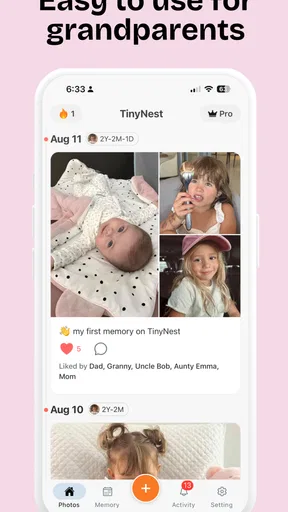
I can imagine using it after an ordinary day at home. A parent takes a few pictures during a first attempt at solid food, a nap, or a visit with grandparents. Rather than sending the same images separately to several relatives, the parent can use one family album space as the shared destination. Grandparents who do not want a busy social feed may find that arrangement easier to understand and return to.
The practical benefit is not simply having another place to store images. It is reducing the repeated work of deciding who should receive each photo. When several relatives want the same updates, a dedicated album can make the routine more consistent. That is especially useful when one parent is managing most of the day-to-day photo sharing and does not want to maintain multiple parallel conversations.
What the free starting point really means
The app is free, so trying it does not require an upfront purchase. That is an important advantage for families who want to see whether a separate album becomes part of their routine before committing money. I would install it first with a small, realistic group rather than immediately attempting to reorganize an entire family archive.
There are in-app purchases listed from $12.99 to $79.99 per item. Those prices make the word “free” worth reading carefully: access can begin without payment, but some value may sit behind optional purchases. I would judge those purchases only after seeing how well the free experience handles the family’s actual sharing habits. A paid upgrade is easier to justify when it removes a repeated annoyance or supports a long-term album; it is harder to justify if the free version already covers occasional sharing.
The important point is that the listed purchase range does not automatically make the app expensive or inexpensive. The value depends on what a household needs from it and how often the family uses it. Someone sharing a handful of pictures now and then may be perfectly satisfied with the free entry point. A family treating the app as its main baby-photo archive should examine the paid options in the app before deciding, because the higher end of the range represents a more serious commitment.
A better setup than simply uploading everything
One useful workflow is to decide on a sharing rhythm before inviting everyone. For example, a parent might collect photos during the day and add only the clearest few in the evening. This keeps the album from becoming a duplicate of the phone’s camera roll and makes it more pleasant for relatives to browse. In my view, a family album works best when it is curated lightly rather than used as an automatic dump.
I would also separate “family update” photos from images that are mainly useful to the parents themselves. That small distinction prevents the shared space from becoming cluttered and makes older memories easier to revisit. It is a non-obvious advantage of using a dedicated album: the act of choosing what belongs there can turn a chaotic camera roll into a more meaningful record.
Another practical tip is to agree on who is responsible for posting. If both parents upload independently without a shared habit, duplicates can accumulate and the album may feel inconsistent. If one person handles the main updates while the other contributes special moments, the space is likely to stay easier to follow. TinyNest does not create that family agreement for you, but its focused purpose gives the family a clear place to establish one.
Where it differs from familiar alternatives
Compared with sending pictures through a messaging app, a family album is less dependent on a chain of individual conversations. Messaging is better when a photo needs an immediate reply or a quick discussion. TinyNest is more suitable when the goal is to build a continuing collection that relatives can view as a shared record.
Compared with posting on a general social network, the dedicated format feels more intentional. A broad platform may be convenient for friends and extended contacts, but it also mixes baby photos with unrelated updates. TinyNest’s parenting focus is a better match for someone who wants the album itself to be the center of attention rather than one small part of a public-facing feed.
Compared with ordinary cloud photo storage, the app’s appeal is less about managing every image and more about family access. Cloud storage is usually the stronger choice for a complete backup strategy, file organization, or moving a large personal library between devices. I would not rely on a baby-photo sharing app alone as my only archive. I would keep important originals in my regular photo backup and use TinyNest as the family-facing layer.
That trade-off is easy to overlook. A dedicated album may be more pleasant for relatives, while a standard cloud service may be more useful for parents who need detailed control over their entire collection. TinyNest is most convincing when it complements those tools instead of trying to replace all of them.
Small habits that make the app more useful
For a newborn’s first months, I would create a simple pattern: add a few meaningful images, keep the captions short, and avoid turning every update into a formal event. Relatives often want the feeling of being included, not a perfectly edited presentation. The app’s focused identity supports that kind of low-pressure sharing.
For families living in different places, the album can also become a bridge between visits. A grandparent may not be available for every milestone, but a regular stream of selected moments can make the distance feel less absolute. The strongest use case is not one dramatic upload; it is the accumulation of small, ordinary memories that would otherwise remain on one person’s phone.
I would be cautious, however, about inviting people who rarely use new apps. A parent may find the concept obvious while an older relative may prefer receiving a picture directly in a familiar messaging service. The app creates value only if the intended viewers are willing to open it. Before moving fully to TinyNest, I would test it with the relatives who matter most and see whether they actually return without repeated reminders.
Limitations worth considering before committing
The first limitation is audience friction. Every additional app asks family members to remember another sign-in, notification stream, or viewing habit. Even a well-focused album can lose momentum if relatives feel that direct messages are simpler. This is why I would start with a small group and observe behavior rather than assuming that everyone will adopt the same workflow.
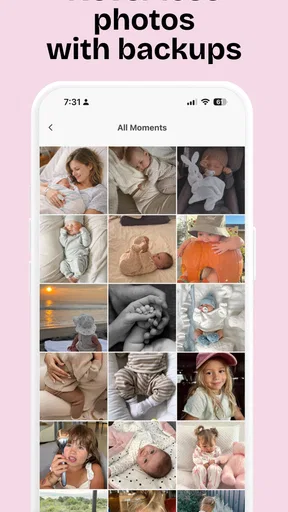
The second limitation is the difference between sharing and preserving. A family-sharing app can be excellent for access while still being a poor substitute for a full backup system. Parents who care about keeping original files, maintaining multiple copies, or organizing years of images should continue using their established storage tools. TinyNest makes more sense as the convenient family window into selected memories.
The third limitation concerns paid value. Since optional purchases range from $12.99 to $79.99 per item, I would not buy anything simply because the app feels pleasant during the first session. I would first identify the exact problem the purchase solves. If the free experience is enough for occasional updates, paying may add little. If the family uses the album constantly and the purchase meaningfully improves that routine, the calculation changes.
There is also a privacy-minded decision that every parent should make for themselves: which photos belong in a shared family space and which should remain private. A dedicated family album may feel more contained than a public social feed, but “family” can still mean many people. I recommend deciding in advance whether the album is for immediate relatives only, a wider circle, or a temporary group for a specific stage of the child’s life.
The Teen content rating is another detail parents should notice. It does not describe TinyNest as a children’s game or a toddler-focused product. I see it as an app for parents and family members managing baby photos, so adults should remain the ones deciding what is uploaded and who receives access. That makes the app’s intended use clearer and avoids treating it as something a child should manage independently.
Who is most likely to get real value
TinyNest is a strong fit for new parents who repeatedly send the same baby photos to several relatives. It is also well suited to families spread across cities or countries, where regular visual updates help maintain a sense of connection between visits. The dedicated format is especially appealing when relatives want baby updates but do not enjoy general social media.
I would also recommend considering it if one parent wants a cleaner separation between personal photography and family sharing. Instead of handing over the entire camera roll, that parent can treat the album as a selected record. This is useful for families who want to share generously while still keeping plenty of everyday images private.
The app may be less suitable for someone who already has a family-sharing system that everyone uses reliably. If a group chat is active, easy for every relative, and sufficient for the family’s needs, moving to a separate app may create more work than benefit. Similarly, parents looking primarily for professional photo backup, advanced editing, or comprehensive file management should choose a tool designed around those jobs.
I would skip it if the family strongly dislikes installing new apps or if the intended audience is unlikely to check a dedicated album. I would also skip paid purchases until the household has demonstrated consistent use. Free access makes experimentation sensible; it does not make every optional purchase automatically worthwhile.
Device details and day-to-day expectations
The current version is 1.266.0, and the app supports Android 7.0 or later. That gives it a relatively broad Android starting point, which is helpful when parents and relatives use a mixture of older and newer phones. In a real family, compatibility across devices matters because the person uploading photos may not be the same person viewing them.
I would still test the experience on the actual phones used by the family before making TinyNest the main sharing habit. An app can be a good fit in principle but awkward for one important relative because of an older device, unfamiliar navigation, or notification preferences. A short trial with the people who will view the album is more useful than judging the app only from the uploader’s phone.
The release date is October 10, 2025, so I would approach it as a relatively recent option rather than a long-established family archive with years of proven personal use. That is not a criticism by itself. It simply means I would build adoption gradually and keep copies of especially important photos elsewhere while deciding whether the app deserves a permanent role.
My value judgment after using it
What I like most is the clarity of the app’s purpose. TinyNest does not need to compete with every photo tool if it can make one recurring family task feel simpler: sharing baby moments with the people who genuinely want them. The focused setting encourages more deliberate posting, and that can make the resulting album warmer and easier to revisit than a long sequence of scattered messages.
What keeps me from giving an unconditional recommendation is the social hurdle. The app’s usefulness depends on relatives participating, and that is outside the app’s control. The purchase range also means I would treat the free version as a trial, not assume that the full experience is included at no cost, and avoid paying until the household knows exactly what it needs.
My verdict is to try TinyNest if your family is currently repeating the same baby-photo updates across several chats or wants a calmer alternative to a general social network. Start free, invite only the people who will genuinely use it, and keep your original photos backed up separately. If relatives do not adopt the extra app or if your needs are mainly storage and file management, a familiar messaging service or cloud photo library may be the better choice.
For the right family, TinyNest offers a sensible middle ground between private phone storage and noisy social sharing. I would recommend it as a dedicated family album rather than as an all-purpose photo system. That distinction gives it a clear role, keeps expectations realistic, and makes the free starting point a practical way to decide whether the app earns a lasting place in your family’s routine.
Privacy and Permissions
See what permissions an app requests and how it handles your data.
- Photos/Media/Files
- read the contents of your USB storage, modify or delete the contents of your USB storage
- Storage
- read the contents of your USB storage, modify or delete the contents of your USB storage
- Camera
- take pictures and videos
- Microphone
- record audio
- Wi-Fi connection information
- view Wi-Fi connections
- Other
- view network connections, full network access, change your audio settings, run at startup, draw over other apps, control vibration, prevent device from sleeping, Google Play license check
Verdict
Strengths of TinyNest - Family Album
- Private space for sharing family photos and memories.
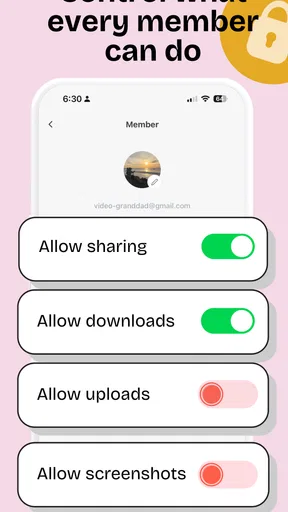
- Simple interface suitable for relatives of all ages.
- Keeps family moments organized in one dedicated album.
- Useful for sharing updates with distant family members.
- More focused and personal than general social networks.
Limitations of TinyNest - Family Album
- Requires family members to install and use the same service.
- Storage limits may restrict large photo collections.
- Advanced editing and album tools may be limited.
- Privacy depends on account security and invitation settings.
- Some features may require a subscription or in-app purchase.
Similar Picks in This Category
View All
Family Space
Motorola Mobility LLC.3.9

شرطة الأطفال - مكالمة وهمية
Oub Apps4.1

Findmykids: Parental Control
LETEM LTD4.6

Pregnancy + | Tracker App
Philips Electronics UK Limited4.8

Policía de niños - para padres
Kids police4.7

Pregnancy App
Amila4.9
Frequently Asked Questions
What is TinyNest - Family Album used for?
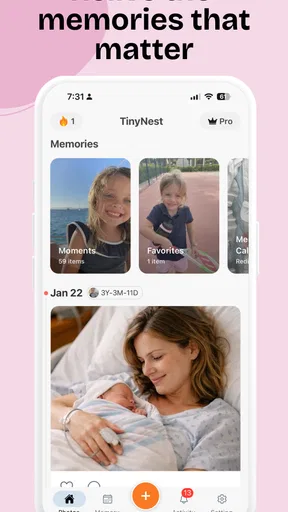
TinyNest - Family Album is designed to help families collect, organize, and share meaningful memories in one private space. You can use it to save photos, videos, milestones, notes, and family updates instead of keeping everything scattered across your phone gallery or messaging apps. It is especially useful for documenting a child’s growth and sharing selected moments with relatives.
Is TinyNest - Family Album private and safe for family photos?
Privacy is one of the most important points to consider before uploading personal family content. TinyNest is intended for private family sharing rather than public social networking, allowing users to control who can view their albums and updates. However, you should still review the app’s current privacy policy, account settings, and sharing permissions before adding sensitive photos or information about children.
Can grandparents and other relatives access the family album?
Yes, the app is built around sharing family memories with invited relatives and trusted people. Depending on the available account and invitation options, you can give family members access to selected albums or updates without publishing them publicly. Before inviting someone, check whether they need to create an account and whether you can remove or change their access later.
Does TinyNest - Family Album support photos, videos, and milestone updates?
TinyNest focuses on preserving different types of family memories, not only standard photographs. Users can typically create albums, add visual content, and record milestones or personal notes that provide context for important moments. The exact supported formats, upload limits, storage capacity, and editing tools may vary by device and app version, so checking the latest listing is recommended.
Is TinyNest - Family Album free to download and use?
The app may be available to download without an upfront charge, but some features can depend on the current subscription model, optional purchases, or storage limits. Before creating a large family archive, review the app store page for pricing, trial terms, premium features, and renewal conditions. This helps avoid unexpected charges and clarifies what is included in the free version.
